PROJECT / NATIVE AUDITING & TESTING
AAAudits Pro
A local investigation workspace for accessibility findings, repeat-load performance measurements, reproducible tests, and observable browser failures.
Free Demo 1.0.0 available now · Full paid Mac App Store edition currently in review. Apple silicon; macOS 26 or later. The technical case study below describes the broader product; demo limits are listed in the download section.
A clearer starting point.
The native welcome screen brings project creation, the local demo and interrupted-work recovery into one place.
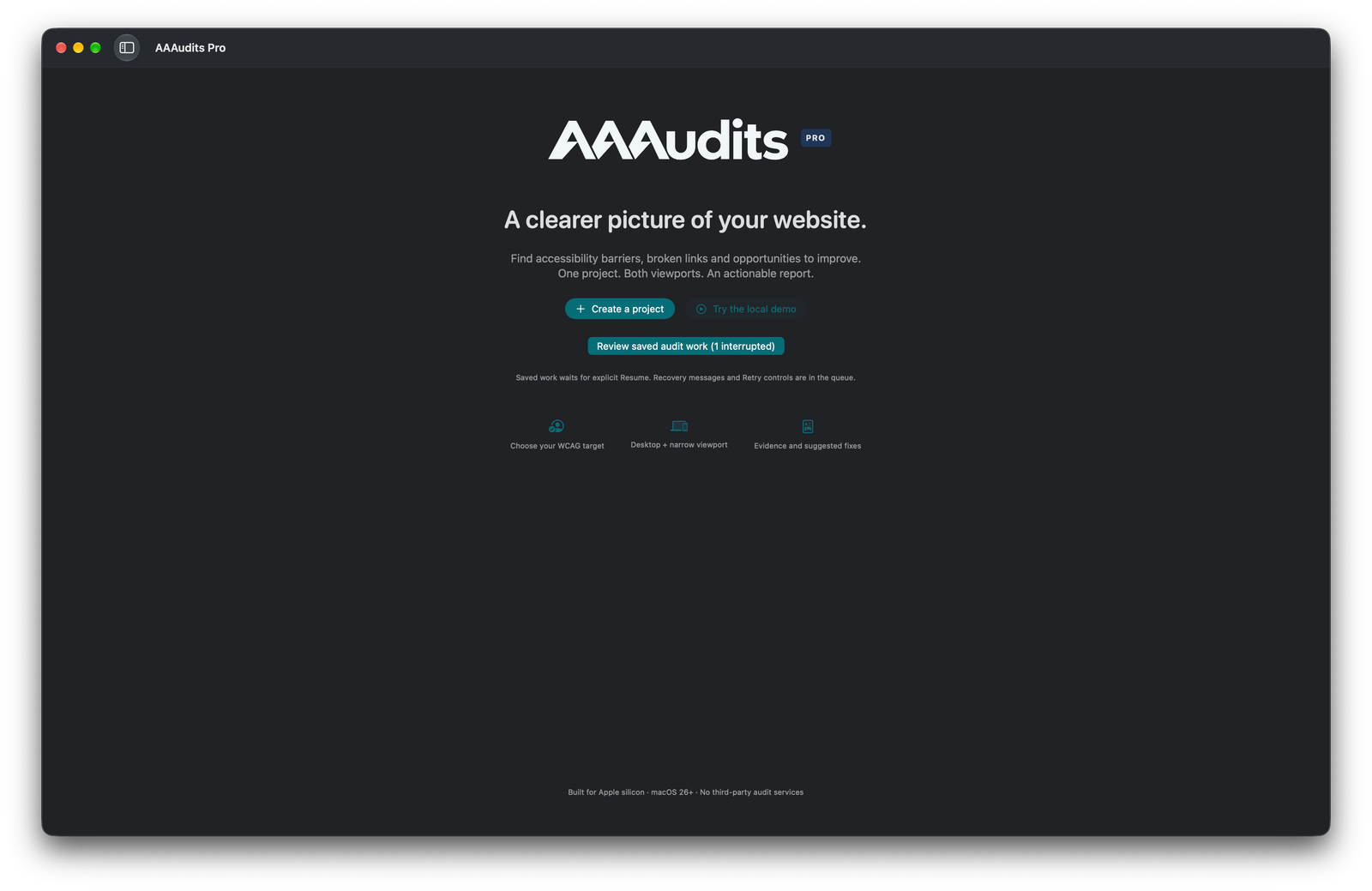
A focused route into a new audit, with saved work waiting for an explicit resume. This preview crops excess window space; the full-size image preserves the original capture.
View full-size screenshotFREE DEMO / MAC DOWNLOAD
Small checks. A clearer starting point.
A free, limited-use edition for quick accessibility checks, freelance developers and small agencies. Audit up to 25 unique pages from one website per audit; desktop and narrow layouts share that allowance. You can start another audit for a different website.
Automated testing, Bug Finder and the interactive Test lab are disabled in the demo. Automated findings support your review; they do not certify accessibility.
Download the free demo .dmgDemo 1.0.0 · 4.9 MB · Apple silicon · macOS 26 or later.
Need the full feature set?
Support me as an independent developer by purchasing the full release from the Mac App Store when it becomes available. It supports up to 100 pages per audit, automated testing, Bug Finder and the interactive Test lab, using built-in WebKit.
The full Mac App Store edition is currently in review. A purchase link will be added once Apple makes it available.
Install the demo
- Open the downloaded disk image.
- Drag AAAudits Pro Demo into Applications.
- Open AAAudits Pro Demo from Applications.
The app is Developer ID signed and accepted by macOS Gatekeeper as notarised.
Download SHA-256 checksumThe product
AAAudits Pro helps developers, agencies and website owners find issues, prioritise work and share evidence. A project combines its audit configuration, history, findings, tests and reports locally. Findings describe the tested sample and implemented checks; they do not certify whole-site accessibility or legal compliance.
One project, several investigation tools
Auditing, authored tests and autonomous exploration are distinct workflows.
Accessibility and quality
Select WCAG 2.0, 2.1 or 2.2 at A, AA or AAA. Inspect supported image, control, structure, ARIA, contrast, link, responsive and markup patterns, with manual-review checklists.
Bounded discovery
Default sampling covers 25 URLs, configurable to 100, at desktop 1440×900 and narrow 390×844 viewports. Reports retain attempted/completed scope and exclusions; narrow desktop-browser views are not physical-device tests.
Evidence and remediation
Highlighted screenshots, observed markup, selectors, severity and suggested code support triage. Suggestions are reviewable templates, not automatic source patches.
Repeat-load performance
Run one, three or five repeats with configurable observation windows. Keep browser conditions, availability and failures visible; supported Chromium controls include network and CPU slowdown.
Saved tests and live replay
Author cases with atomic steps, expected results and explicit assertions. Replay supported actions against the live browser and record real video, with user participation for unsupported actions.
Bug Finder
Explore eligible pages and controls while observing JavaScript errors, rejected promises, failed requests, resources and layout signals. Bounded exploration cannot infer all business defects or guarantee no side effects.
First-party native architecture
SwiftUI and AppKit provide the interface; SwiftData and local evidence/recovery files retain project state. Built-in WebKit is the default browser. Optional installed Chrome, Brave and Edge use Chromium DevTools Protocol; Firefox uses WebDriver BiDi.
Own rule engine
First-party rules are implemented without embedding axe-core, Lighthouse or a paid cloud audit API. Supported checks traverse the main document, open shadow trees and accessible same-origin frames within declared limits.
Measured versus inferred
Quality scoring, timing observations and optimisation advice remain separate. Complex contrast is marked Needs review. INP is not measured, and local runs are not field Core Web Vitals data.
Replay and exports
ScreenCaptureKit captures live browser replay. Native PDF, semantic HTML, JSON and A4 infographic outputs support different audiences.
Recovery and scale
Per-project sessions, configurable concurrency from one to eight, queue journals and explicit resume/retry handle interrupted work. Authenticated credentials are not checkpointed.
Scope is part of the result
Quality score, captured page-view scope and unresolved/manual-review coverage are displayed together. A high implemented-rule score can coexist with significant untested content. Browser accessibility-tree capture is available in supported Chromium workflows, without equivalent full capture in WebKit or Firefox.
Validation with visible limits
The recorded 0.14.1/rules 8 benchmark covers 221 unique mapped fixtures across four browsers: 884 executions. Each browser recorded 66 expected detections, 139 no-false-alarm cases, 11 deferred cases and five known misses, with no observed false positives or execution errors in this corpus. These figures are not a whole-WCAG accuracy percentage.
Version-specific evidence
Version 0.14.2 retained rules 8 and passed 12 focused progress/performance checks. Version 0.14.3 added full-window running-audit regression checks. Version 0.14.5 records five selected passing tests, including 28 report-tab and auxiliary render cases plus running-audit regression checks at two sizes. Rules and scoring remain unchanged; these checks are not a new fixture-corpus benchmark.
0.14.5 layout verification
The release records five selected passing tests, including 28 report-tab and auxiliary rendering cases, heading-position checks and running-audit regressions at two window sizes. Version 0.14.4 added report-grouping and PDF/HTML export checks. These are focused regression checks, not a new accessibility accuracy benchmark.
Remaining acceptance
Physical macOS 26, device/assistive-technology behaviour, complex contrast and exhaustive business logic remain separate review areas. Edge shares the Chromium adapter but was not independently validated in the recorded environment.
Privacy and human review
No hosted audit account or results upload is required. Live sites still receive browser requests. Compatible authenticated audits use dedicated test accounts and synthetic data, with credentials held in memory. Screenshots, video and notes require review before sharing. Device-review companions transfer reviewer evidence rather than silently altering automatic scores.
Explore the project
Based on the supplied project documentation dated 25 October 2026. Product status and verification results are recorded snapshots, not new tests performed for this portfolio.