PROJECT / NATIVE APPLICATION
A/B Tekniq / App
From a folder of music to a considered performance. A native DJ application combining hands-on mixing with inspectable transition and set planning.
Release status · Version 1.1.0 is released on the Mac App Store for macOS. The iPad version is currently under App Store review.
A closer look.
Six app captures from the project’s App Store screenshot assets. Interfaces reflect the captured development state; an exact release build has not been established for these images. Select an image to inspect the full-size capture.
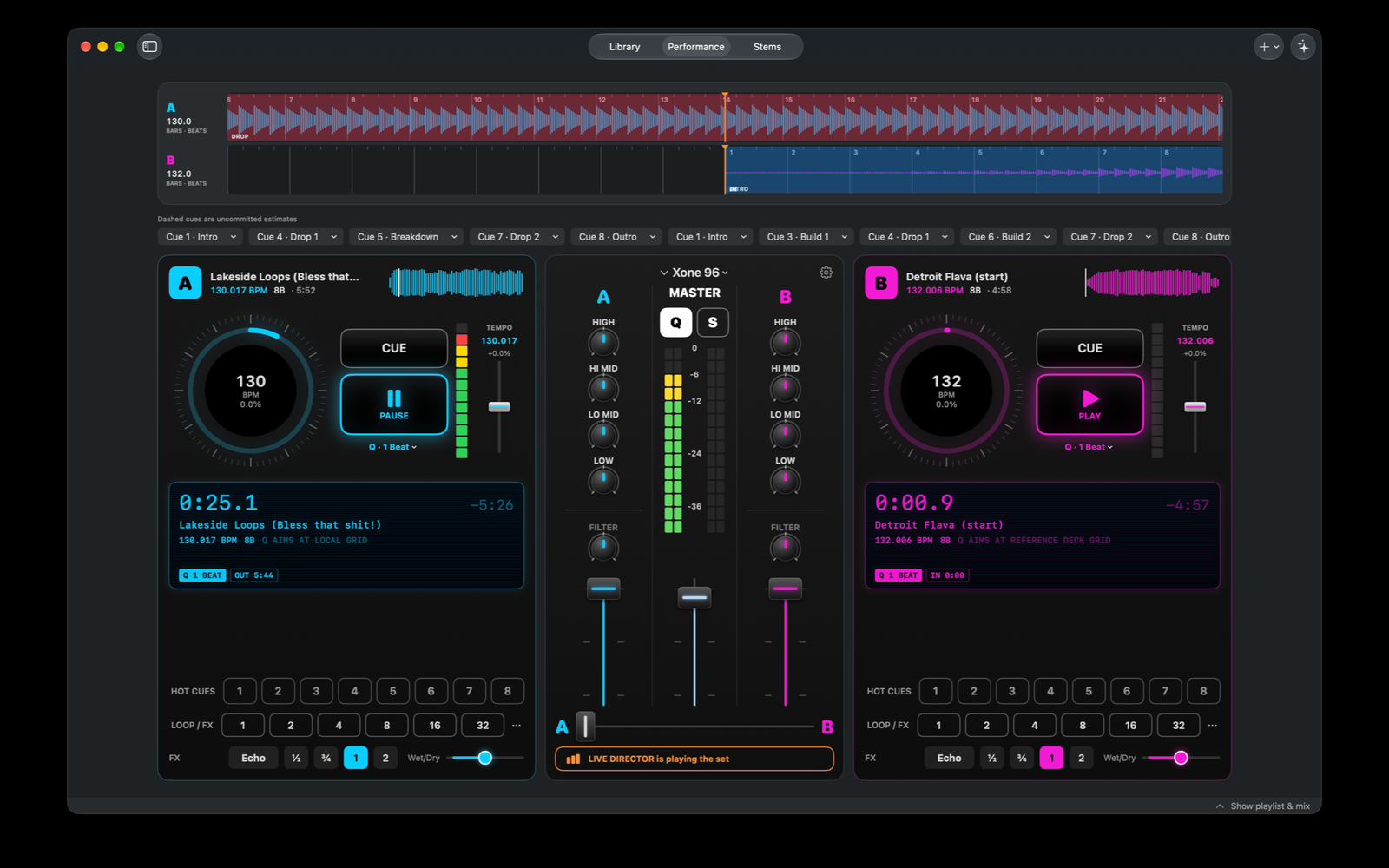
Two loaded decks, track waveforms, hot cues, level meters and the central mixer.
View full-size screenshot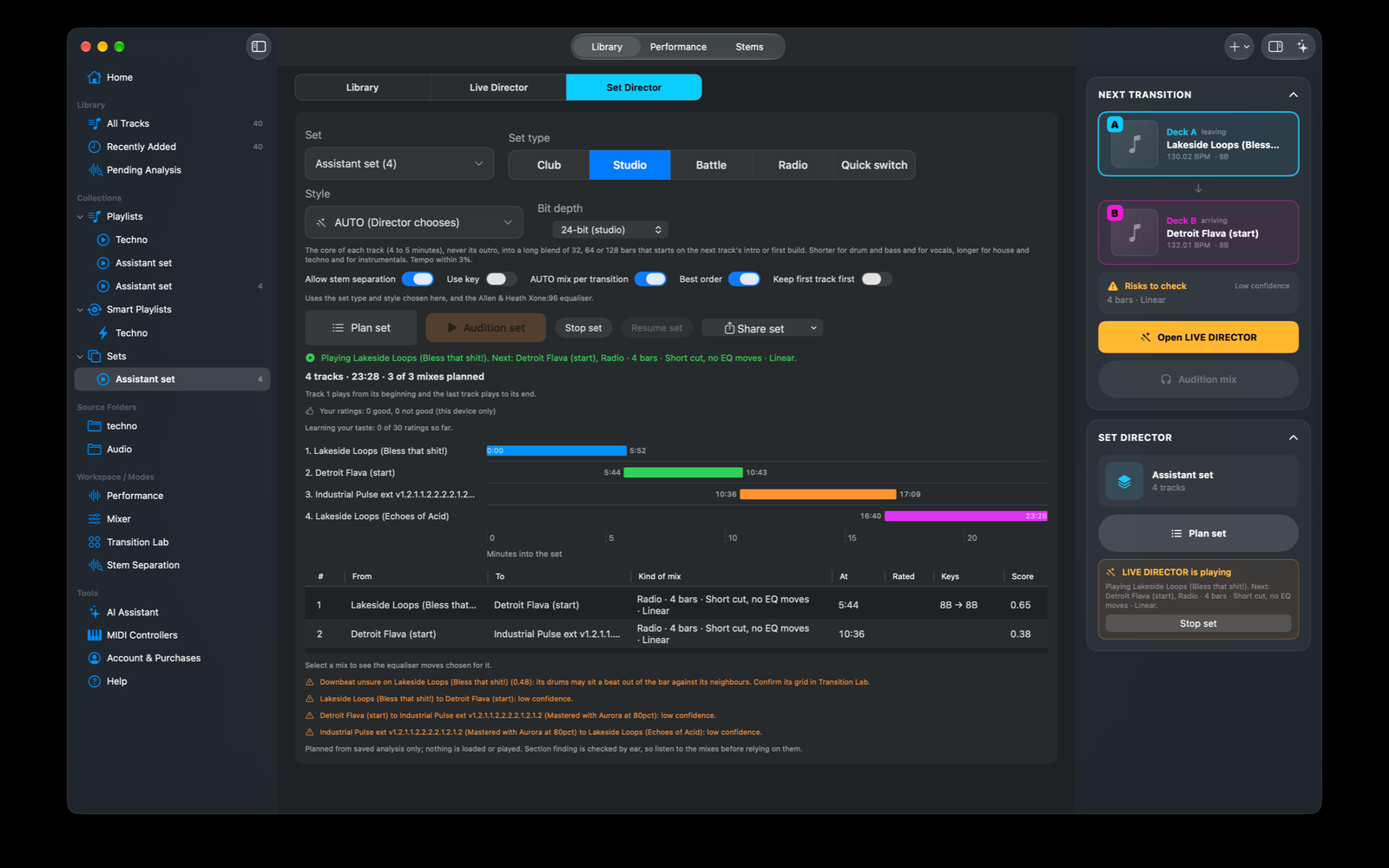
An ordered Set, its planned transitions, timing overview and review warnings.
View full-size screenshot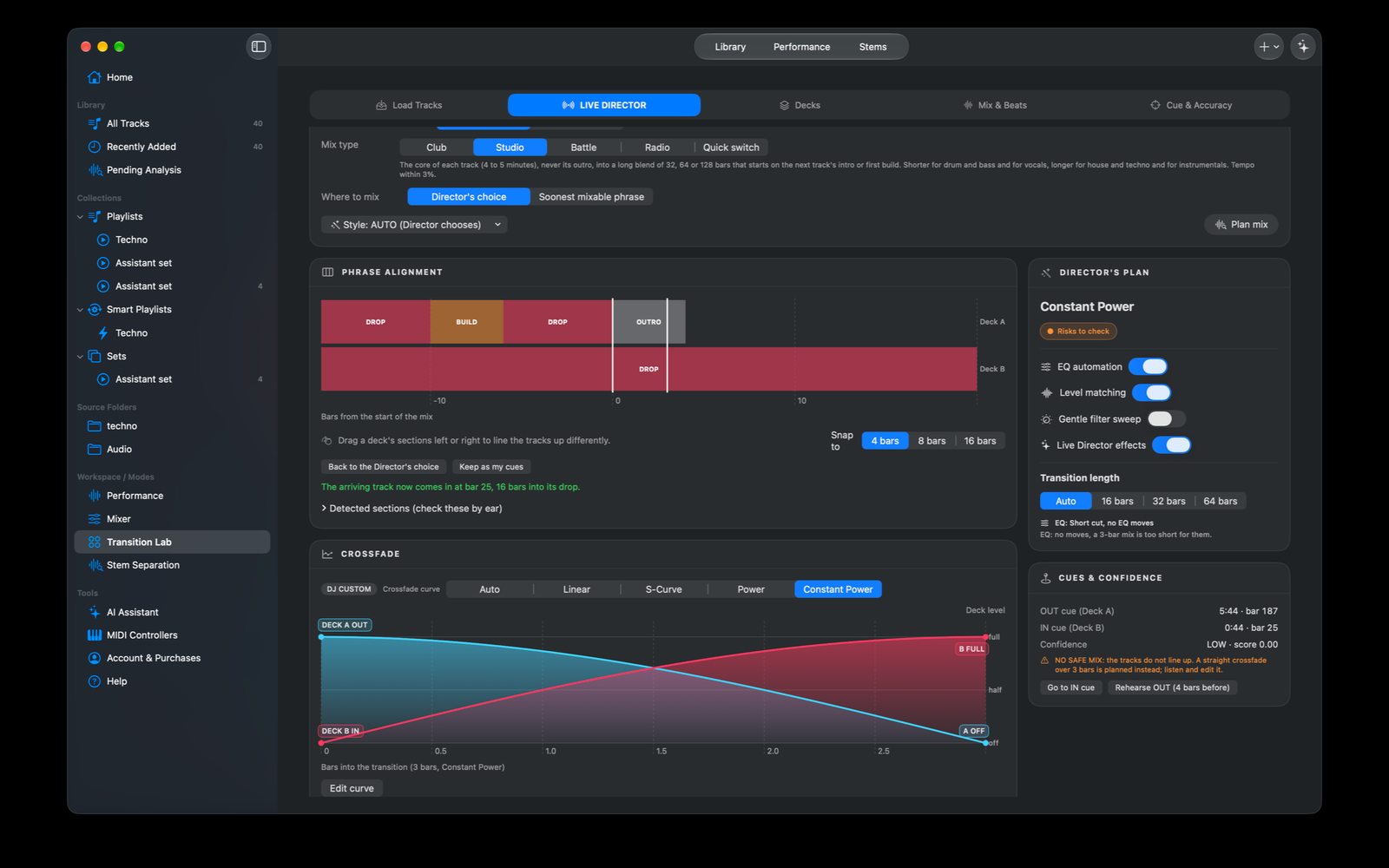
Phrase alignment, editable crossfade curves and the Director’s transition plan.
View full-size screenshot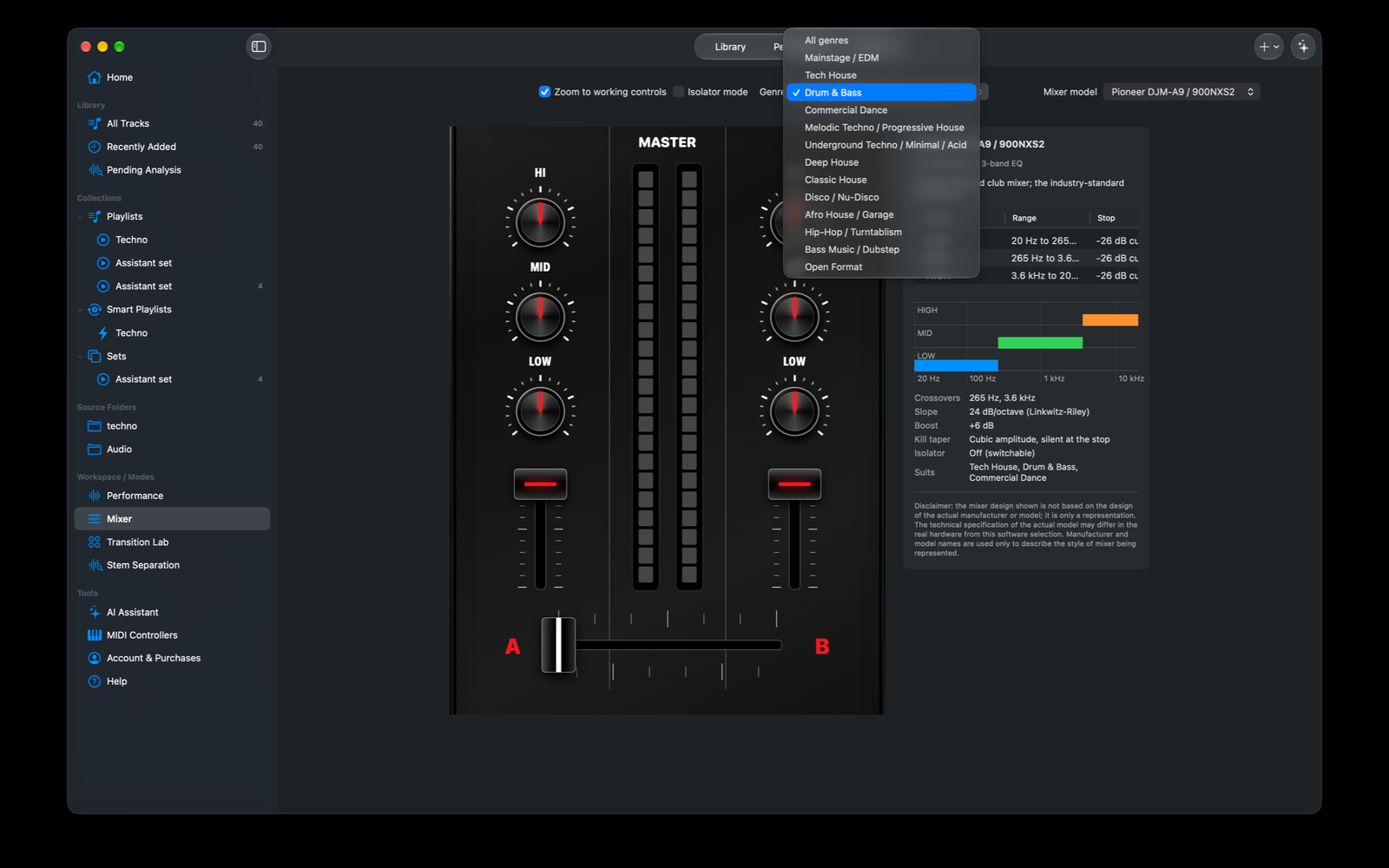
Genre filtering, a mixer profile and the accompanying software EQ specification.
View full-size screenshot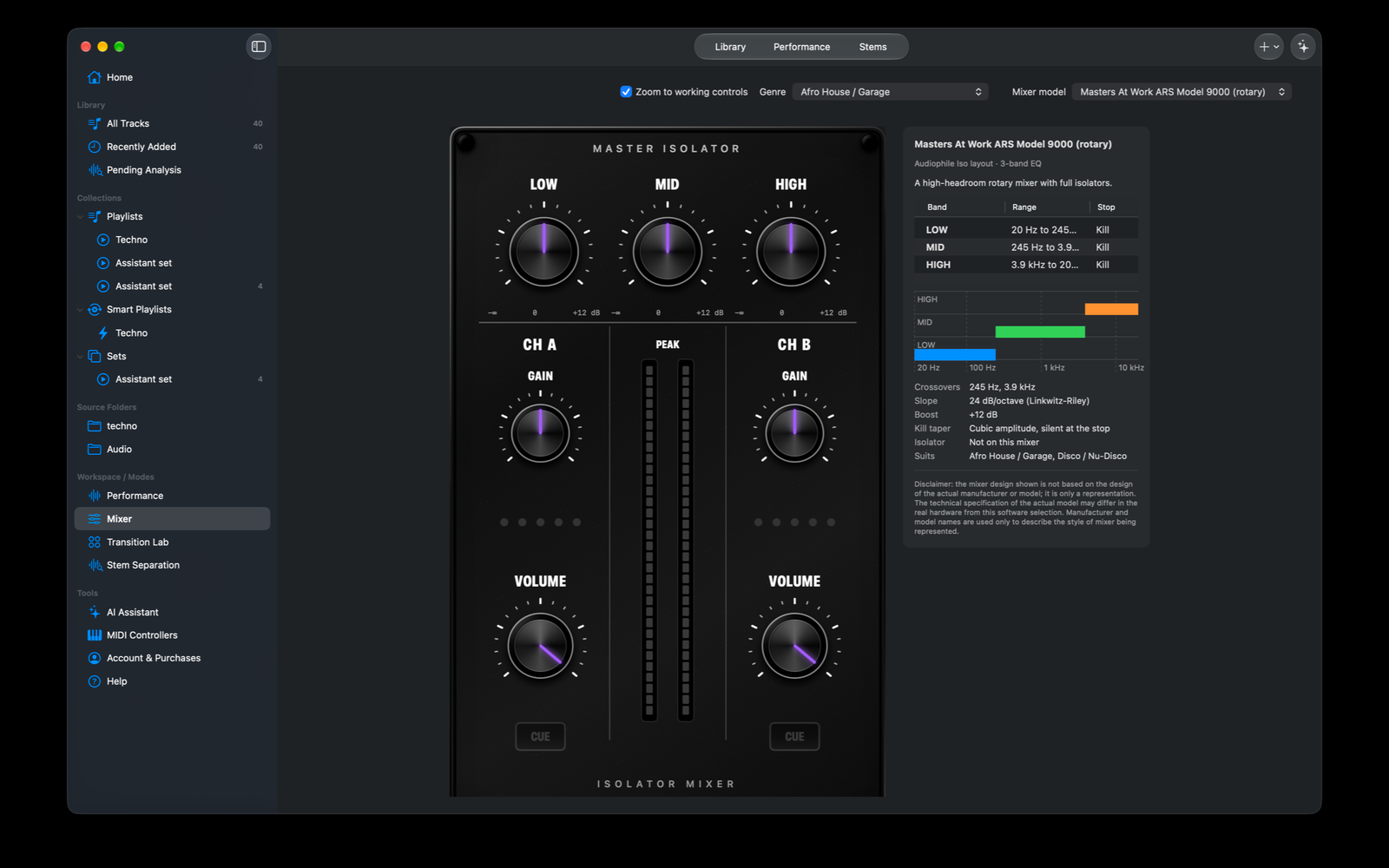
A rotary mixer treatment with master isolation and channel controls.
View full-size screenshot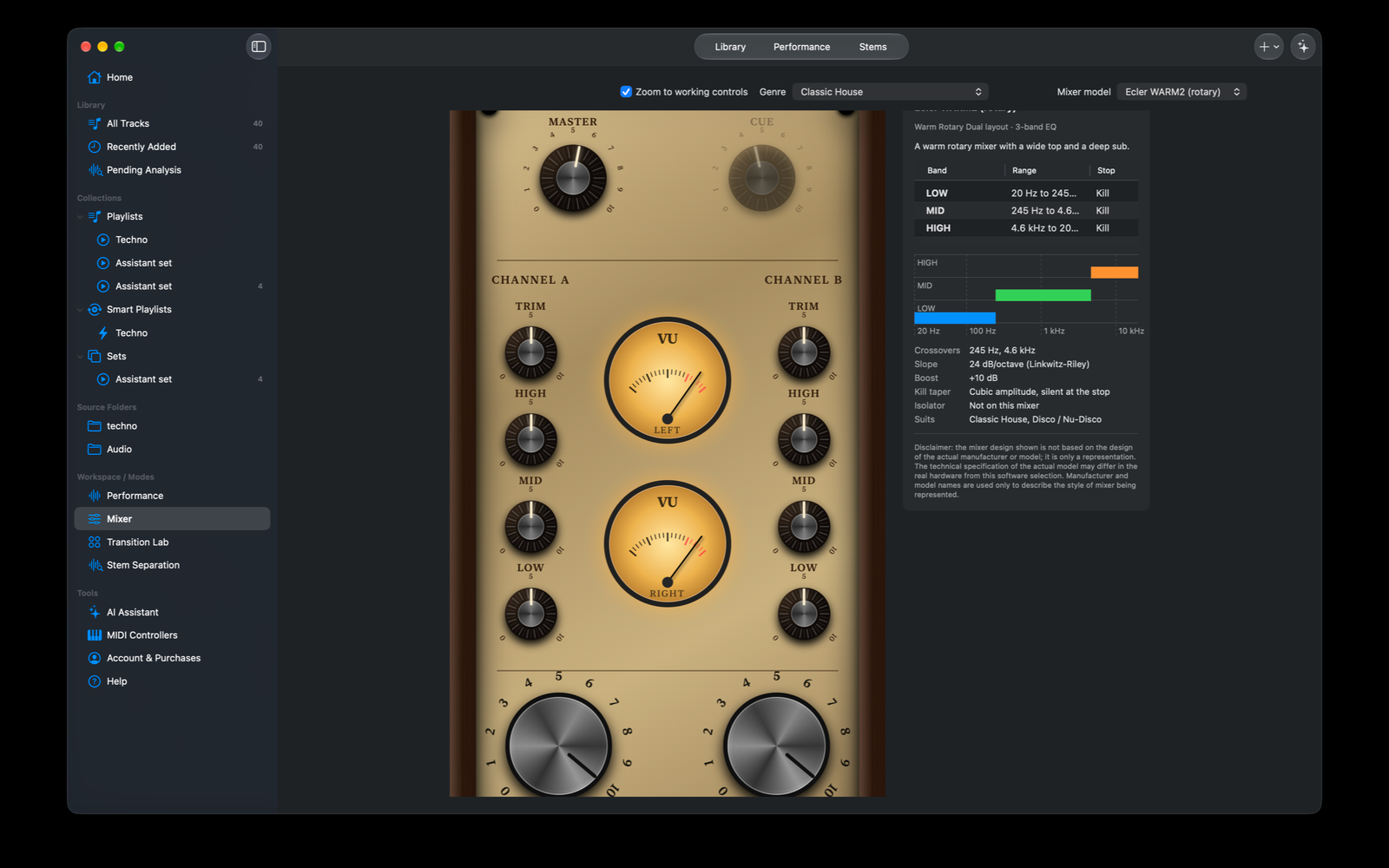
A warm rotary interface with analogue-style meters and its software profile details.
View full-size screenshotThe product
A/B TEKNIQ helps DJs organise their own music, prepare tracks, perform with two decks, and plan a complete mix. The Director proposes transitions that the user can inspect, edit, audition, or reject. It uses local audio files rather than a streaming catalogue.
Prepare, plan, perform
The released application connects library preparation with live control and offline export.
Music library
Import WAV, AIFF, CAF, MP3 and M4A files; organise playlists, Smart Playlists and ordered Sets. Source references preserve the original music files.
Analysis and preparation
Estimate tempo, beats, bars, key, loudness and musical sections. Review grids, prepare cues and loops, and keep analysis locally.
Two-deck performance
Jog nudge and scrub, SYNC, quantize, two banks of eight hot cues, loops, beat jumps, tempo-synchronised echo and channel filtering.
Director and Transition Lab
Inspect phrase alignment, blend lengths, fade curves and bass swaps. Edit arrangements, audition pairs and run accepted Sets with manual intervention available.
Audio export
Render planned transitions or Sets to AAC, Apple Lossless, WAV, AIFF or FLAC. Save mix and Set Plan documents; chapter and companion CUE support depends on format.
Engineering the workflow
A native SwiftUI interface sits above shared Mac/iPad domain, preparation, session and audio packages. A custom C realtime mixing core handles supported timing and mixing operations. Versioned local stores retain analysis, cues, loops, playlists and Sets.
Timing and state
Grid-based leader/follower sync and supported audio-frame scheduling are paired with invalidation rules when tracks, grids or playback state change.
Hardware integration
CoreMIDI discovery, factory profiles and MIDI Learn connect performance controls. Included profiles are starting points rather than hardware certification.
Assistance under user control
The optional on-device Assistant is off by default. Smart Prep, Next Track and Set Builder provide reviewable suggestions; manual controls remain available when Apple Intelligence interpretation is unavailable.
Purchases and privacy
StoreKit uses Apple Account purchases without a separate product login. Local media access, user-requested model downloads and website news requests have separate responsibilities.
Version 1.1.0 and platforms
Version 1.1.0 is available for macOS, adding 15 minutes of daily free playback, integrated music-reactive visuals and planned-set video export. Pro subscribers are not subject to the daily playback allowance. Library organisation, analysis, cue preparation and saved work remain part of the workflow. The iPad version is under App Store review and is not yet publicly released.
Design boundaries
Analysis estimates require musical review. Jog nudging is not a full scratch engine; live stem-remixing controls are not promised. Stem-model setup and preparation are distinct from live per-deck stem-remixing controls. Physical iPad, controller, audio-routing, sustained thermal and purchase edge-case acceptance remain separate validation tasks.
Explore the project

Based on the supplied project documentation dated 25 October 2026. Release status updated from the developer’s confirmation: macOS 1.1.0 released; iPad under review. Verification results remain recorded snapshots, not new tests performed for this portfolio.