PROJECT / NATIVE WEATHER & CHARACTER DESIGN
Forecast,
with Feeling.
Useful weather. A little personality. A native weather app that pairs everyday conditions with an occasional character cameo—bringing a smile to a change in the forecast.
Early demo · Version 1.0, build 6 · Mac download for Apple silicon and macOS 26 or later. The wider project also targets iPhone and iPad; this download is for Mac.
THE INTERFACE / THE PERSONALITIES
A forecast with character.
A real capture of the Mac menu-bar interface, with current conditions and quick forecast controls.
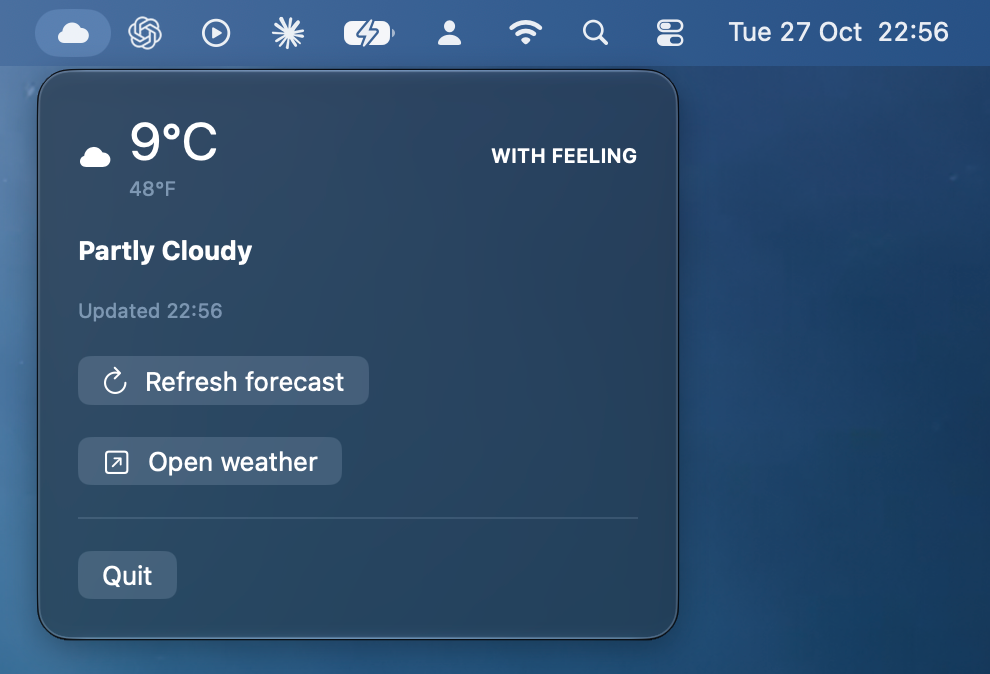
Current conditions, Celsius and Fahrenheit, an update time and a quick route into the main weather window.
View full-size screenshotA character showcase capturing the app’s playful tone. Optional playback with sound.
MEET THE PERSONALITIES
Five ways to feel the weather.
Individual character artwork for the project’s playful visual direction.





EARLY DEMO / MAC DOWNLOAD
Try the early demo.
Version 1.0 · build 6 · 25.5 MB · Requires macOS 26 or later on an Apple silicon Mac. Intel Macs are not supported.
Download the early Mac demo .dmgThis is an early preview, with features and behaviour still being refined. The app and disk image are Developer ID signed and Apple notarised. The DMG’s stapled ticket and the packaged app’s Gatekeeper acceptance were verified before publication.
Start with your local weather
- Open the disk image and drag Forecast with Feeling into Applications.
- Launch the app and allow location access to load local conditions.
- Explore the forecast and menu-bar view. Enable weather-change clips or official warning notifications in Preferences if you want them.
Internet access is needed for weather updates. Extended hourly and daily forecasts require Apple Weather availability; the fallback provides current conditions. Notifications and background delivery are best effort. This demo is not an emergency alert service.
Download SHA-256 checksumWeather first. Personality alongside it.
The native SwiftUI project combines current conditions with six upcoming hourly forecasts and a ten-day outlook when Apple Weather is available. A menu-bar popover keeps conditions and refresh controls close at hand on Mac.
A practical fallback
When WeatherKit is unavailable, Open-Meteo supplies current conditions with source attribution and a locally cached summary. Extended forecasts are not promised by that fallback.
Surprise clips, under your control
Ten short scenes are bundled with the app. Weather-change clips are opt-in: a notification offers the moment, and playback starts only after you tap it. On Mac, the scene opens in a compact window near the top-right of the active screen.
Room for a quiet forecast
Daily caps, at least four hours between alerts and quiet hours limit interruptions. The first observation establishes a baseline. Stale observations do not trigger comparisons, and missing scene cues stay silent.
Weather-linked moments
Supported cues include forecast rain and observed changes such as freezing, snowfall, overcast, stronger UV or a significant temperature shift. There is no in-app clip library or manual playback menu.
Official warnings stay distinct
A separate opt-in setting controls Met Office warning notifications, with a region choice and links to the issuing authority’s advice. Apple Weather can also provide local official warnings where available. Official warnings do not launch comedy clips.
Warning updates are deduplicated. Failed refreshes remain visible rather than appearing as an all-clear. Checks run at startup and on forecast refresh while the Mac app is running; iOS background timing is controlled by the operating system.
A native foundation
SwiftUI provides the interface across Mac, iPhone and iPad. WeatherKit supplies forecast data, Core Location provides coordinates with permission, and native notifications connect weather changes to user-initiated scene playback.
Location and data
Coordinates are stored locally and sent to Apple Weather or Open-Meteo to retrieve conditions. The app explains location progress, timeouts and permission issues. Forecast sources are attributed in the interface.
Focused policy checks
The project records checks for notification caps, cooldowns, quiet hours, warning parsing and transitions. Signed-device notification delivery and background behaviour still need hands-on validation as development continues.
Share your early impressions.
Found an issue or have an idea? Include your Mac model, macOS version and the steps you took.
Send demo feedbackBased on the supplied project README, screenshots and media. Early-demo availability is for the Mac build linked above.