PROJECT / NATIVE MAC DEVELOPER TOOL
Android Emulator
Test websites and apps on virtual Android devices, directly on your Mac—without a paid cloud-testing subscription. Create a phone, foldable or tablet, launch Android and check your work locally.
Version 0.1.0 · Apple silicon · macOS 26 or later · Signed and notarised Mac download.
INSIDE THE APPLICATION
Android testing. A Mac workspace.
A device list and a compact control panel keep setup, status and common actions together. Open either screenshot to inspect the original capture.
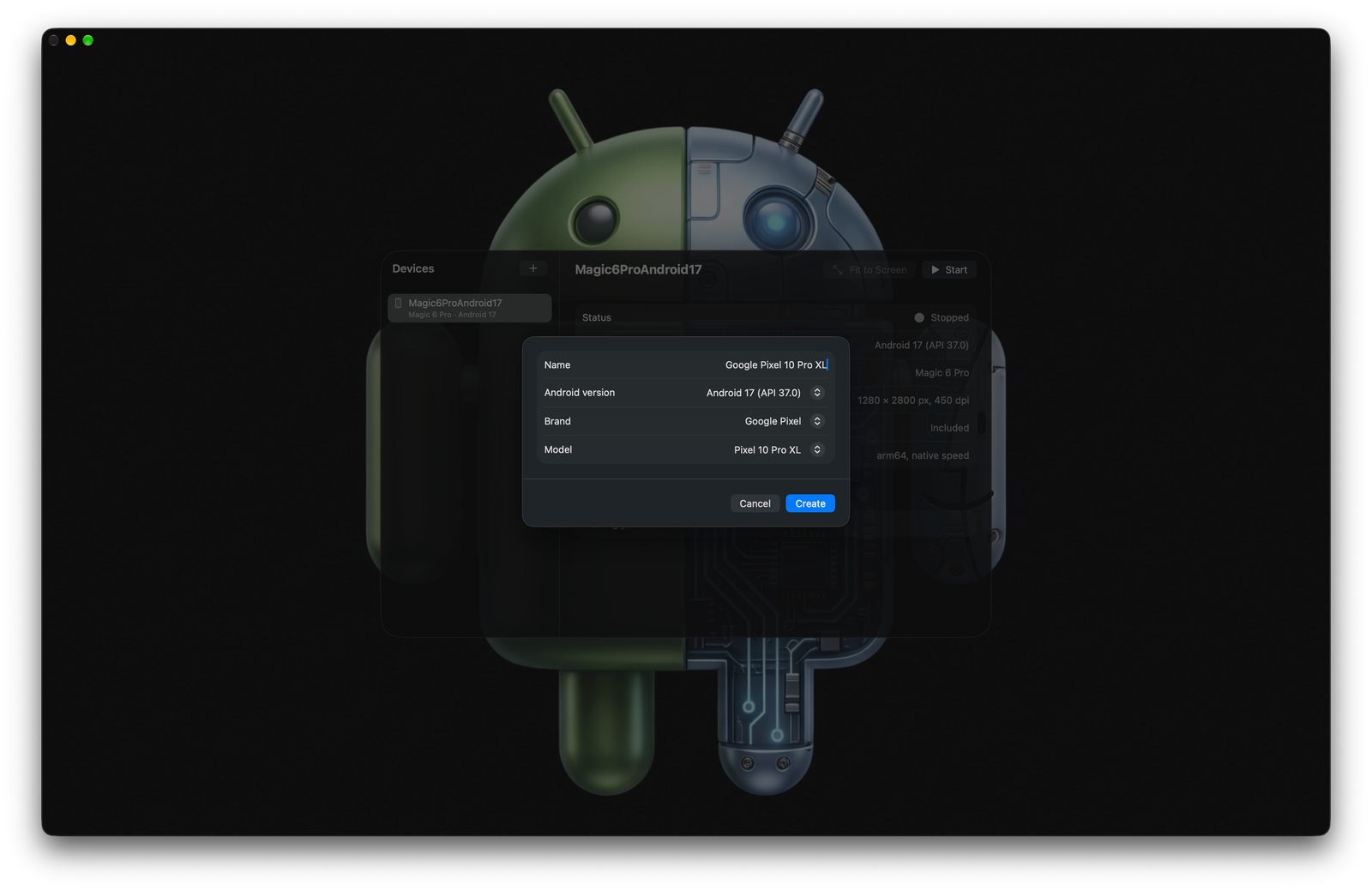
Choose a device name, Android version, brand and model from a native setup sheet.
View full size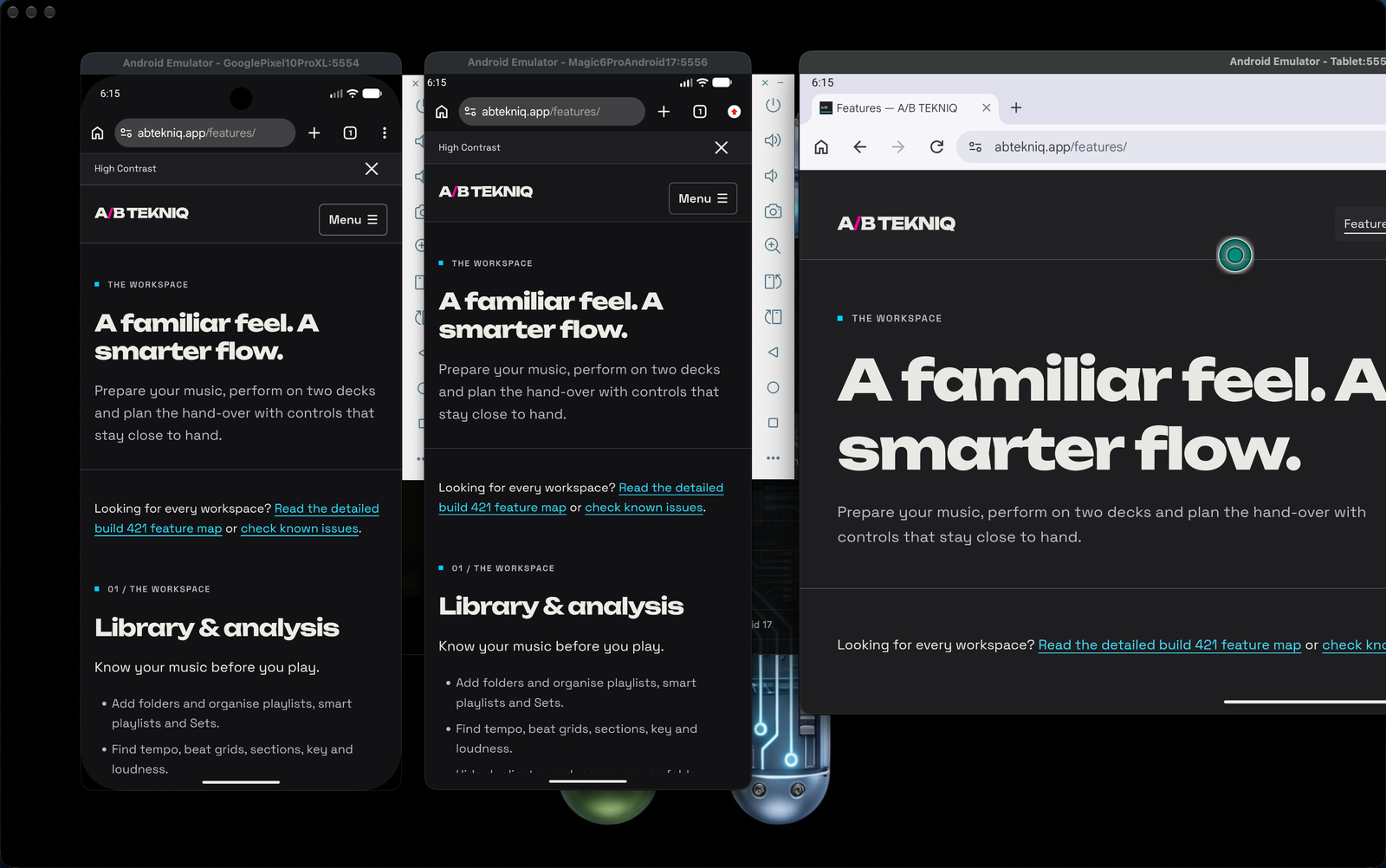
The A/B Tekniq website running in two virtual Android phones and a tablet, showing responsive layouts side by side.
View full sizeDOWNLOAD FOR MAC
Try Android Emulator.
Version 0.1.0 · 2.2 MB download · Requires an Apple silicon Mac running macOS 26 or later. Intel Macs are not supported.
Download Android Emulator .dmgThe app and disk image are signed and Apple notarised. The disk image’s stapled ticket and the packaged app’s Gatekeeper acceptance were verified before publication.
Get started
- Open the disk image and drag Android Emulator into Applications.
- Open the app and choose Download and Set Up.
- Use the + button to create a device, then choose Start.
An internet connection is required for setup. The Android tools and emulator use roughly 700 MB, with about 1.5 GB for each Android version image. Virtual-device data can grow to several GB. Setup automatically accepts the tools’ licences on your behalf.
Download SHA-256 checksumA smaller route into Android testing
For developers who need quick Android checks, this app provides a local alternative to using an online testing service such as BrowserStack. Run virtual devices on your own Mac without paying for a cloud-testing subscription or working through a full IDE. Downloaded Android images are reused across devices that use the same version.
The focus is local emulation rather than a hosted physical-device lab. It is useful for responsive layouts, browser behaviour and app testing; physical hardware still matters for device-specific behaviour.
From setup to a running device
Guided setup
First-run setup installs a Java runtime when needed, Google’s command-line tools, the emulator and platform tools. Progress and retry feedback make a multi-step download visible.
Profiles by brand and form factor
Choose Pixel and generic definitions alongside screen profiles for Samsung, Motorola, OnePlus, Nothing, Xiaomi, Sony and Honor. Phones, tablets and unfolded foldable displays support layout exploration; a resizable profile offers several form factors.
Apps and device controls
Start and stop devices, open Google Play, return to the home screen and install multiple APKs by drag and drop. Google Play downloads require a Google account.
Resources and window fitting
Choose automatic, Metal or software graphics, memory allocation and CPU cores. Fit to Screen resizes the emulator to the usable display area and requires macOS Accessibility permission.
Native interface. Established tooling.
A Swift package provides the Mac application around Google’s Android SDK, emulator and ADB. ARM64 images use hardware acceleration on Apple silicon. Android SDK files live in the standard Library/Android/sdk location and can be shared with Android Studio.
Persistent device settings
Each virtual device retains its location and proxy settings. Preferences hold graphics, memory and CPU choices; an activity log exposes start-up, installation and setup outcomes.
Local device lifecycle
Devices boot without loading a saved snapshot, with emulator audio disabled. Removing a stopped device deletes its stored data while retaining the reusable Android image.
Test location and network behaviour
Set GPS coordinates manually or choose from 44 location presets. A separate HTTP proxy setting accepts a host and port, with settings reapplied when the device starts.
GPS simulation does not change the IP address, timezone, language or Play Store country. The proxy needs your own server, does not support credentials and may be ignored by some apps. These controls support development testing and do not provide anonymity.
Know what the emulator represents
Brand profiles approximate main-display resolution and density. They run standard Android, without a manufacturer’s interface, camera, sensors or hardware performance. Foldables show one unfolded screen. Physical-device checks remain useful for behaviour an emulator cannot reproduce.
Android version and image availability depends on Google’s SDK catalogue. Initial setup contacts Google and, when needed, Adoptium for downloads. Virtual-device files and app preferences are stored locally on the Mac.
Questions about the app?
Contact AndrewProduct details based on the supplied project README. Screenshots show the app interface; artwork is illustrative.